
Managing AI Workers Like a Factory Line (Without Turning Your Team Into Robots)
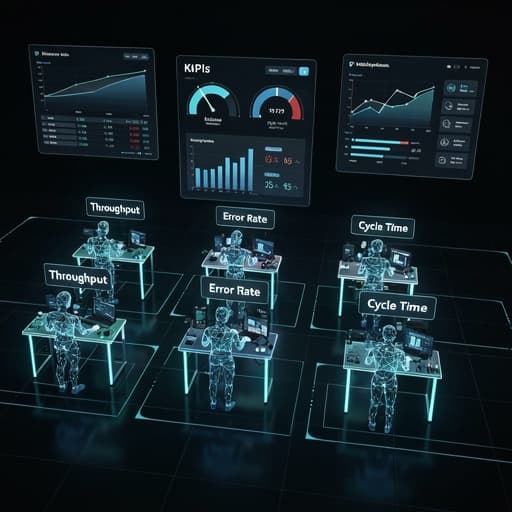
Table Of Content
- TL;DR
- Contents
- 1. Why Your Agency Already Looks Like a Factory (Even If You Hate That Word)
- 2. From Zaps and Heroic Humans to Digital Workers
- 3. The Three Factory Metrics That Make AI Useful: Throughput, Error Rate, Cycle Time
- 4. How a Poly Digital Workforce Actually Runs Day to Day
- 5. What Changes for Founders, Ops, and Engineering
- 6. Risks, Edge Cases, and How to Not Break Your Business
- 7. How to Start: The Poly Digital Workforce Launch Offer
- Call to Action
- Sources
Managing AI Workers Like a Factory Line (Without Turning Your Team Into Robots)
TL;DR
- Agencies and SaaS teams are already running factories — they just use humans and brittle zaps instead of machines.
- Treating AI workers like a digital production line gives you throughput, error rate, and cycle time you can actually manage.
- The Poly Digital Workforce Launch Offer installs a small team of AI-native workers that own outcomes across your tools in ~30 days.
- Done right, this doesn’t replace your team; it frees 30–50% of their repetitive workload so they can focus on higher‑leverage work.
- If you want this in your ops, the next step is a Poly Workforce Strategy Call: https://cal.com/princepspolycap/poly-digital-workforce.
Contents
- Why Your Agency Already Looks Like a Factory (Even If You Hate That Word)
- From Zaps and Heroic Humans to Digital Workers
- The Three Factory Metrics That Make AI Useful: Throughput, Error Rate, Cycle Time
- How a Poly Digital Workforce Actually Runs Day to Day
- What Changes for Founders, Ops, and Engineering
- Risks, Edge Cases, and How to Not Break Your Business
- How to Start: The Poly Digital Workforce Launch Offer
- Sources
1. Why Your Agency Already Looks Like a Factory (Even If You Hate That Word)
If you run an agency or B2B SaaS company, your operations already behave like a factory line:
- Leads come in.
- Deals close.
- Onboarding kicks off.
- Delivery happens in cycles (campaigns, sprints, releases).
- Reporting goes out.
The inputs and outputs are different from a car plant, but the mechanics are the same:
- Work arrives in batches.
- It moves through a sequence of steps.
- Bottlenecks and defects compound down the line.
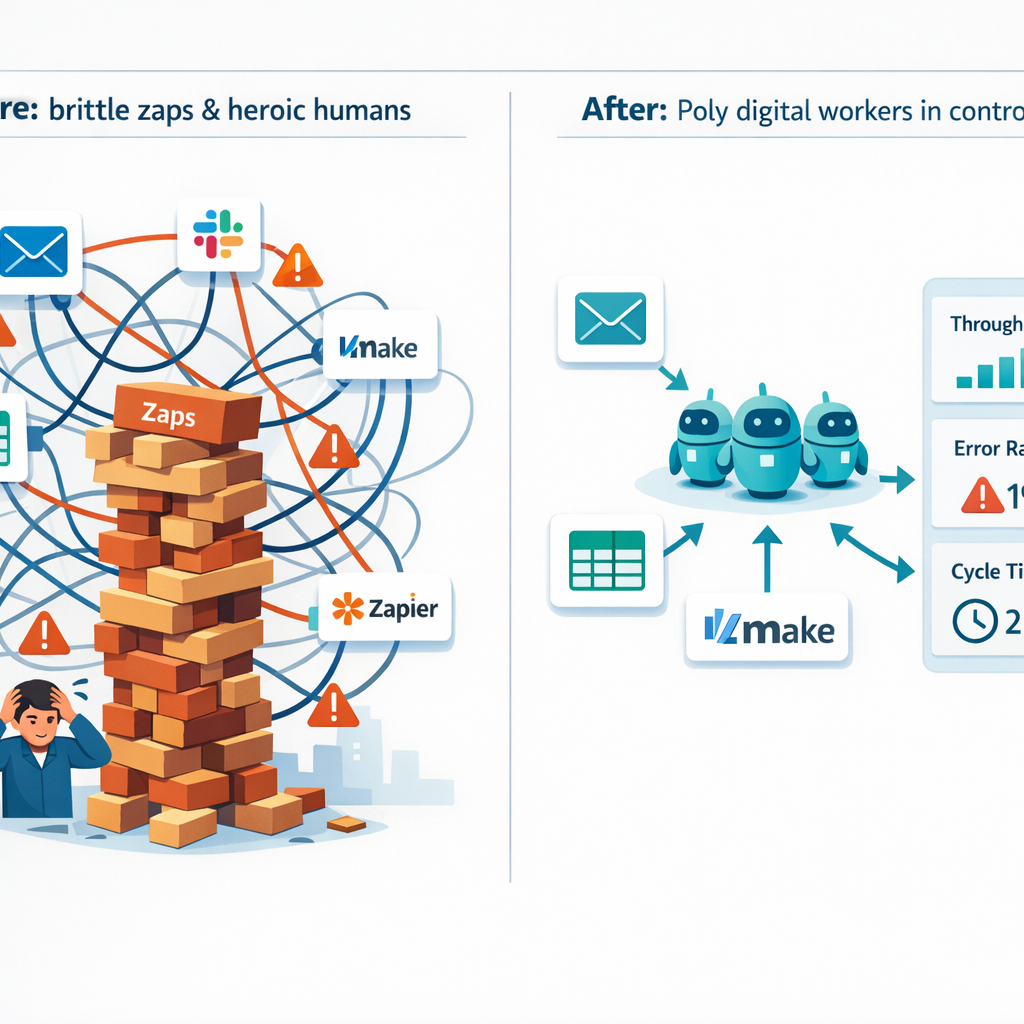
The problem is that most agencies don’t run an actual system. They run:
- A patchwork of Zapier/Make automations.
- A graveyard of half-updated Notion docs and ClickUp boards.
- A heroic layer of humans catching everything that falls through the cracks.
According to Search Engine Journal’s 2026 enterprise SEO trends, the teams that win are the ones that treat their content and operations like a system — with clear workflows, observability, and feedback loops, not just isolated tactics.
You don’t need a bigger stack. You need a way to run your ops like a measurable production line — without turning your team into robots.
2. From Zaps and Heroic Humans to Digital Workers
Most agencies go through the same evolution:
- Manual Stage – Everything is done in Google Sheets, Slack, and email.
- Automation Stage – You bolt on zaps and Make scenarios to glue tools together.
- Oh God, Please Stop Stage –
- No one knows what’s live.
- When a zap fails, you find out from a client.
- You add people to “own” what the automations should have handled.
The missing layer is persistent digital workers: AI-native agents that sit inside your operations and own specific outcomes:
- "Make sure every new closed‑won deal is onboarded within 24 hours."
- "Send weekly performance reports to clients every Friday before 16:00 with current data."
- "Keep CRM hygiene above a certain threshold; flag anything that looks broken."
Instead of 200 disconnected automations, you get a handful of clearly defined roles:
- Client Onboarding Worker – Watches for signed deals, creates projects, kicks off tasks, sends intros.
- Reporting Worker – Pulls data, updates decks or Notion pages, sends recap emails.
- QA & Compliance Worker – Checks workflows, catches anomalies, flags issues to humans.
Poly’s whole thesis is simple:
Don’t automate tasks. Hire digital workers to own outcomes across your tools.
Those workers are what this blog is about.
3. The Three Factory Metrics That Make AI Useful: Throughput, Error Rate, Cycle Time
Most AI conversations get lost in the weeds:
- "Which model is best?"
- "What prompt should we use?"
- "Is this more accurate than GPT‑5.1 on benchmark X?"
None of that matters if you can’t answer three questions about your operations:
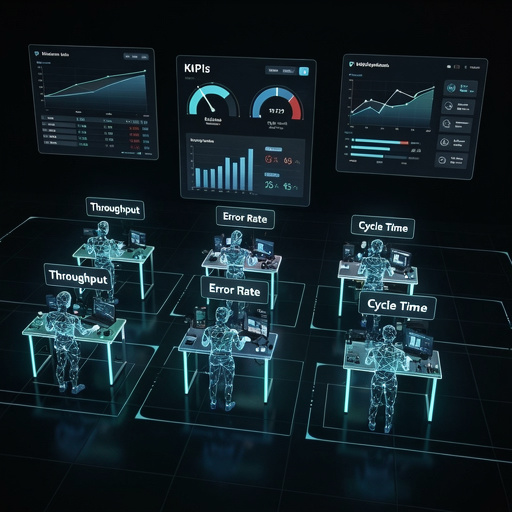
- Throughput – How much work can we push through this system per week without breaking it?
- Error Rate – How often does something go wrong, and where?
- Cycle Time – How long does it take to go from trigger to done?
Manufacturing figured this out decades ago. Knowledge work is just now catching up.
A digital workforce lets you finally treat these as first-class metrics instead of vibes:
- Throughput: "Our reporting worker shipped 142 client reports last month."
- Error rate: "We had 3 exceptions where a human had to intervene (2 data issues, 1 permissions bug)."
- Cycle time: "From campaign end to report sent: median 27 minutes."
The future of AI isn’t just bigger models. It’s agents plus metrics.
According to Gloat’s 2026 AI workforce trends report, ~95% of AI pilots fail because they never connect experiments to measurable business impact. If you don’t wire AI to throughput, error rate, and cycle time, you’re just adding toys to your stack.
4. How a Poly Digital Workforce Actually Runs Day to Day
Let’s make this concrete.
Imagine you’re a 30‑person B2B SaaS agency. You offer:
- Demand gen campaigns
- Lifecycle / email programs
- RevOps and reporting support
Your current reality:
- Every new client means more recurring reports, more follow‑ups, more tickets.
- Your best people are stuck copy‑pasting screenshots into decks.
- There’s always at least one client who hasn’t heard from you in 3 weeks.
Here’s what it looks like once a Poly digital workforce is in place.
4.1 The Workers
You might start with 3–5 workers:
-
Client Onboarding Worker –
- Watches HubSpot for new closed‑won deals.
- Creates the right ClickUp/Notion/Asana spaces.
- Triggers the initial task list and sends the welcome email draft.
-
Reporting & Insights Worker –
- Pulls data from ad platforms/CRMs once a week.
- Writes a first‑pass analysis and compiles a report.
- Sends it to the account manager for a one‑minute review before sending.
-
CRM Hygiene Worker –
- Scans for missing fields, broken owner assignments, and stale opportunities.
- Fixes what’s safe; flags anything ambiguous in a Slack channel.
-
NPS & Feedback Worker (optional) –
- Sends post‑project or quarterly surveys.
- Summarises feedback and suggests actions.
4.2 The Flow (Factory View)
This isn’t a single monolithic agent. It’s more like a cell on the factory floor: specialised, observable, and measured.
4.3 What You Actually See as an Operator
Day to day, you’re not poking at prompts. You’re looking at:
- A short daily summary in Slack:
- "Onboarding Worker: 3 new clients onboarded, 1 exception (missing billing contact)."
- "Reporting Worker: 27 reports draft‑ready, 2 blocked (API rate limit)."
- A simple dashboard for:
- Work completed
- Exceptions raised
- SLA breaches
Instead of wondering “What is the AI doing?”, you see:
- What it did.
- What it skipped.
- What it’s waiting on you for.
That’s the difference between a chatbot and a worker.
5. What Changes for Founders, Ops, and Engineering
For Founders / Owners
- You stop waking up to a mess of client fires caused by missed steps.
- You can say "yes" to more clients without immediately thinking about more headcount.
- You finally have an operational story that sounds like 2026, not 2014.
For Operations / RevOps
- You spend less time fighting the tools and more time designing flows.
- You think in workers and SLAs, not ad‑hoc automations.
UKG’s 2026 workforce outlook points out that AI is transforming work, but the organisations that win are the ones that pair automation with better visibility and human‑in‑the‑loop governance.
That’s exactly what a digital workforce gives you: automation plus control.
For Engineering / CTOs
- Less time babysitting brittle internal scripts.
- Clearer boundaries: Poly workers operate on top of your stack, not inside your core product.
- A path to modernise without rewriting everything at once.
You don’t have to bet your architecture on a single vendor or framework. You define the outcomes; the workers do the boring orchestration.
6. Risks, Edge Cases, and How to Not Break Your Business
AI workers are powerful. They can also amplify bad assumptions if you’re careless.
The failure modes we watch for:
- Silent failures – Something breaks and no one notices.
- Over‑automation – A worker updates records that humans should own.
- Hallucinated actions – An LLM doing something plausible but wrong.
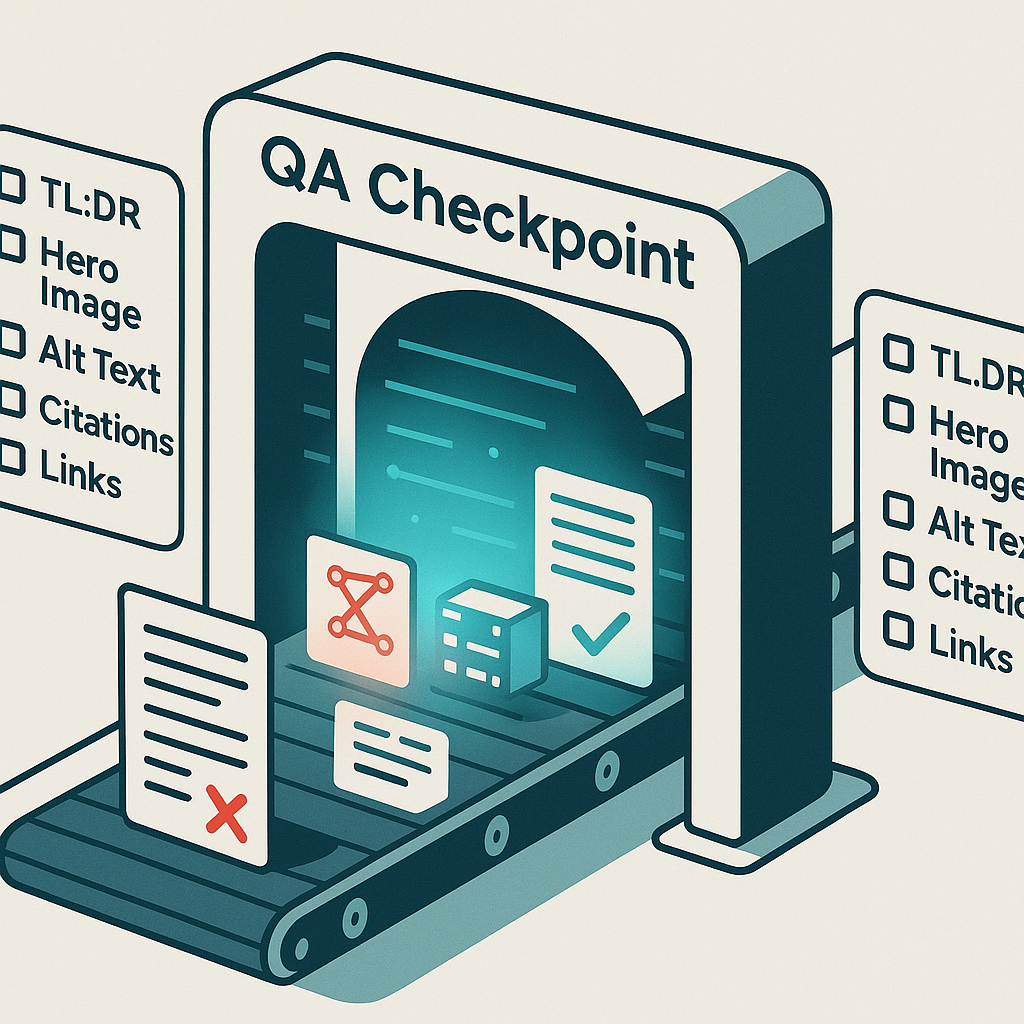
How we design around that:
-
Guardrails and Escalation Rules
- Workers have clear scopes: what they can do automatically vs. what must be approved.
- Anything uncertain becomes an exception, not a guess.
-
Staged Rollout
- Workers start in "shadow" mode: they propose actions, humans approve.
- Once everyone’s confident, they move to partial or full autonomy.
-
Observability by Default
- Every action is logged.
- Exceptions are surfaced in channels your team already lives in (Slack, email, dashboards).
-
Human‑Centred Design
- The goal is not "replace everyone".
- The goal is "give your team 30–50% of their week back to work on things that actually move the needle."
As Nexford University points out in their analysis of AI and jobs, the long‑term impact is less about instant mass replacement and more about shifting which tasks humans own.
A digital workforce lets you choose that shift deliberately instead of letting it happen to you.
7. How to Start: The Poly Digital Workforce Launch Offer
If you’re reading this as an agency or B2B SaaS operator, you probably recognise yourself in at least one of these:
- You’re drowning in repetitive reporting, onboarding, and admin.
- Your Zapier/Make setup feels like a Jenga tower.
- Every scale milestone drags margins down instead of up.
That’s exactly what the Poly Digital Workforce Launch Offer – Agencies & SaaS is built for.
Here’s what we do together over ~30 days:
-
Workflow & Opportunity Mapping (Week 1)
- 90‑minute Poly Workforce Strategy Session.
- We map your highest‑leverage workflows: onboarding, reporting, client comms, and internal ops.
- We identify 3–5 workflows where digital workers can realistically remove 30–50% of repetitive workload in 90 days.
-
Custom Worker Design (Weeks 1–2)
- We translate your SOPs into worker roles: who they "are", what they own, and how they escalate.
- We define triggers, inputs/outputs, SLAs, and guardrails.
-
Implementation & Integration (Weeks 2–3)
- We connect Poly to your existing stack (HubSpot, Slack, Notion, ClickUp, Airtable, Google Workspace, etc.).
- We configure and test 3–5 core workflows end‑to‑end with your real data and edge cases.
-
Go‑Live & Hypercare (Weeks 3–4)
- Your workers go live handling real workload with human‑in‑the‑loop visibility.
- We monitor, iterate, and tighten.
-
Performance Review & Scale Plan (End of 30 Days)
- We review workload reduction, response times, and error rates.
- You get a 90‑day roadmap and ROI model for scaling your digital workforce.
Pricing & Guarantee
- Price: $25,000 one‑time implementation fee.
- Guarantee:
If, within 90 days of kickoff, you haven’t clearly freed up at least 30% of the repetitive workload in the workflows we targeted — or you simply don’t feel Poly is delivering meaningful value — we’ll work with you for free for up to 30 additional days to hit that threshold. If we still can’t, you keep all implemented workflows and assets, and we’ll advise you on next steps.
Your Next Step
👉 Book here: https://cal.com/princepspolycap/poly-digital-workforce
Call to Action
- Book a Poly Workforce Strategy Call: https://cal.com/princepspolycap/poly-digital-workforce
- Learn about Poly: https://www.poly186.com
- Try a demo: https://www.poly186.com/demo